ShortLink Manager: branded links that live beside your content.
A campaign needs a link that is easy to share and easy to maintain. ShortLink Manager brings short URLs, QR codes and click reporting into Craft CMS. Editors can create a memorable address, connect it to a page and keep its destination current, with the link available directly from the entry they are working on.
01In use

Review links, status and usage in one library. 
Choose an address, destination and expiry behaviour. 
Organise campaign links with folders and tags. 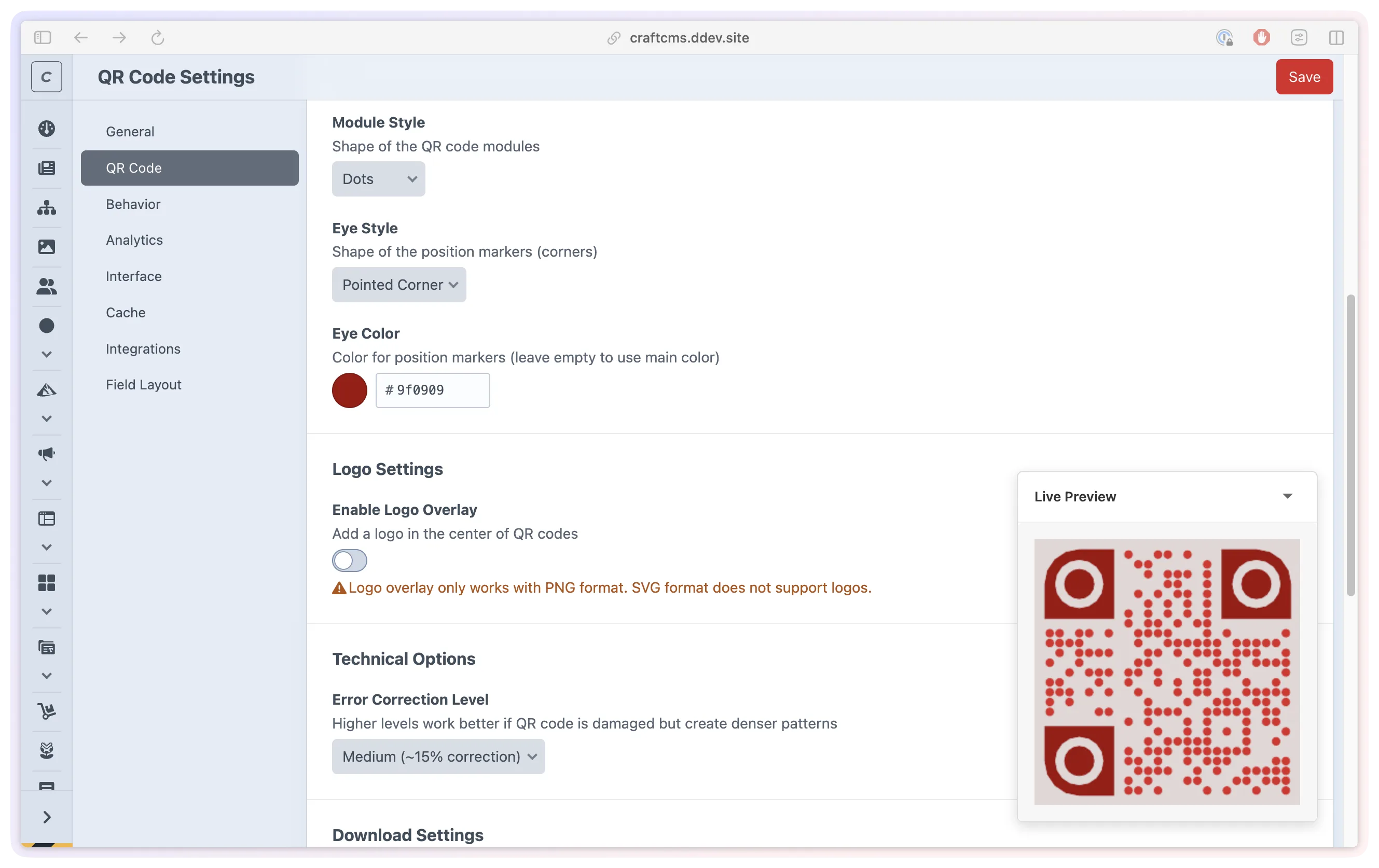
Preview QR styles for your campaign artwork. 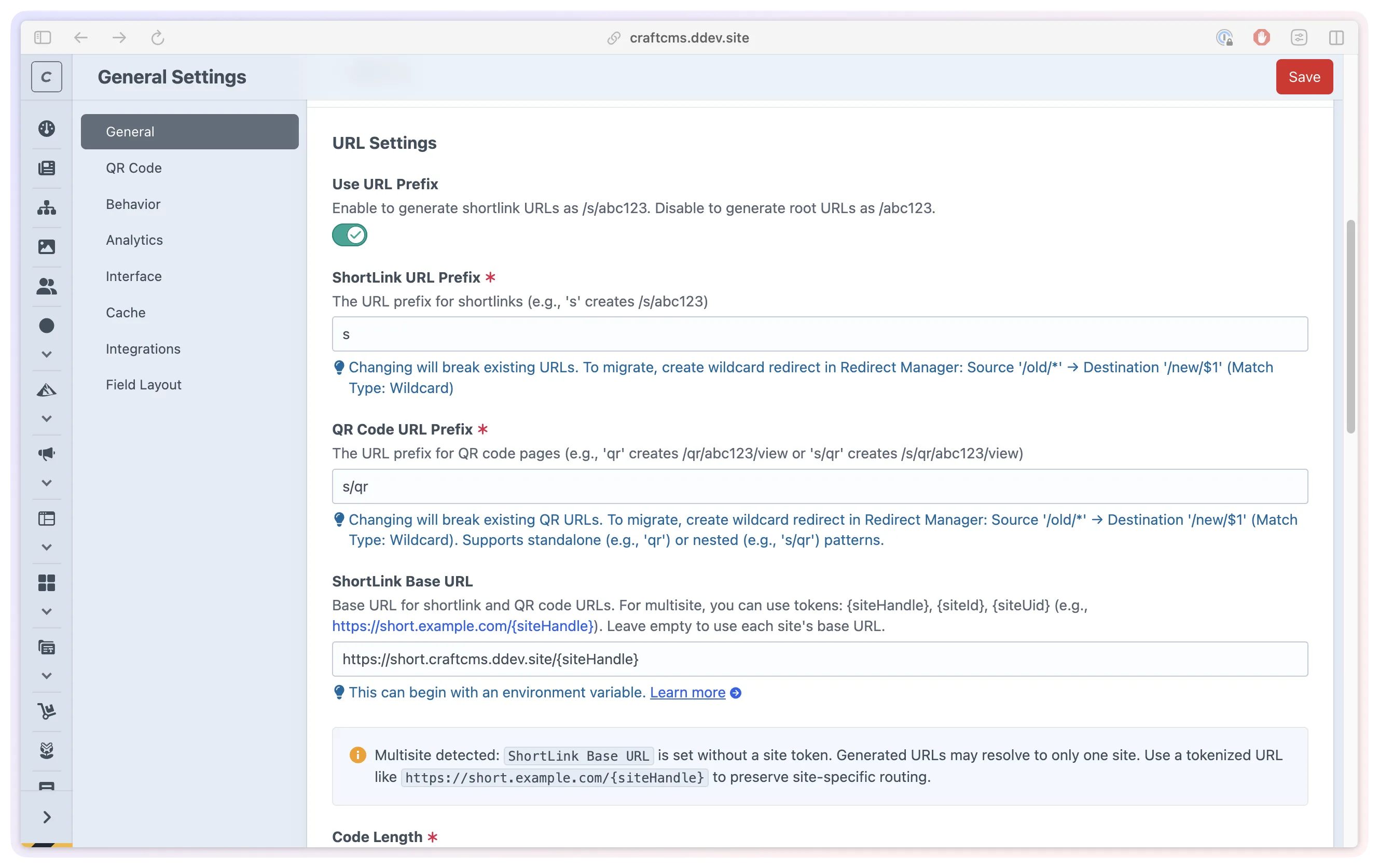
Configure branded links and site-specific paths. 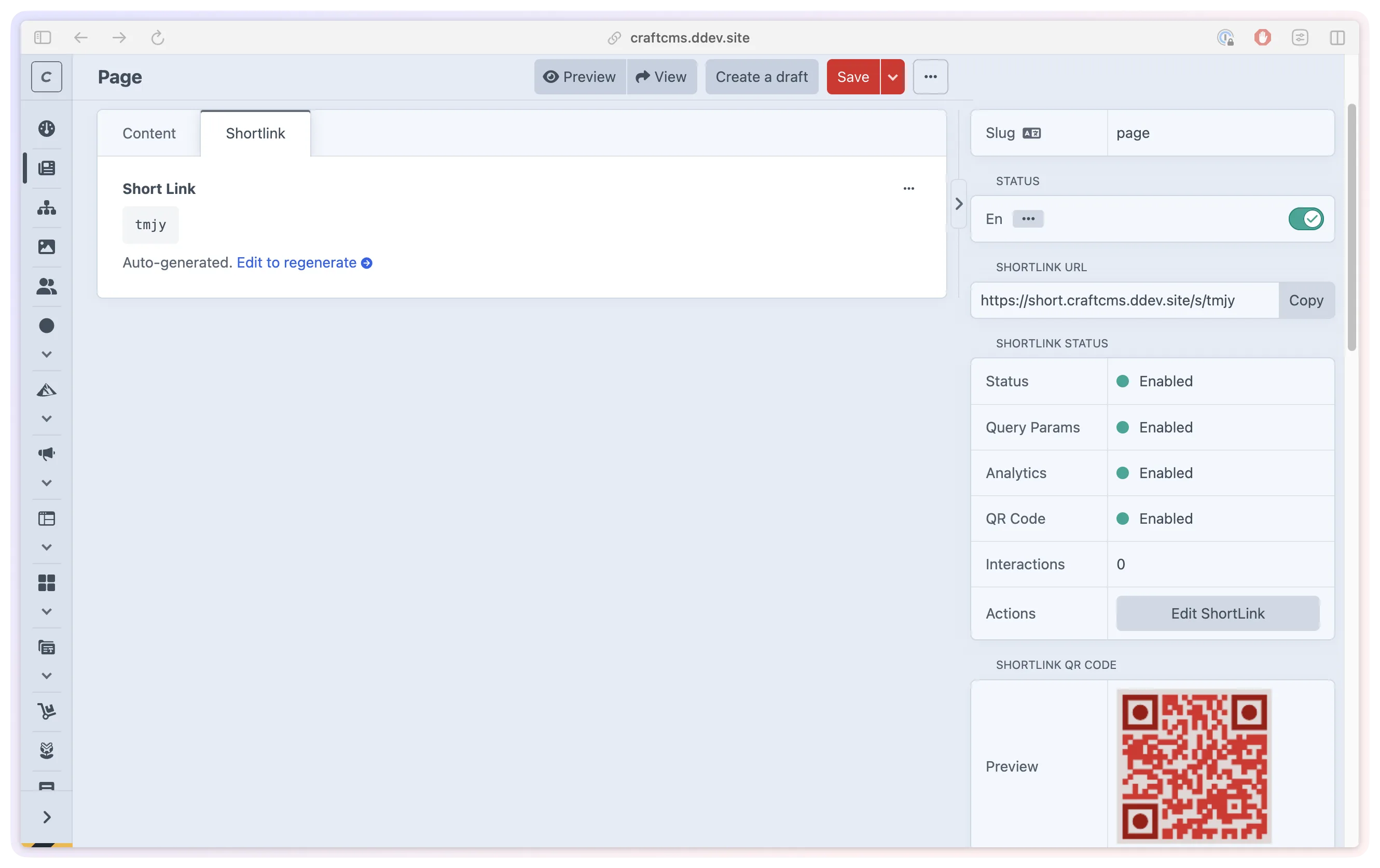
Copy a managed short link while editing an entry. 
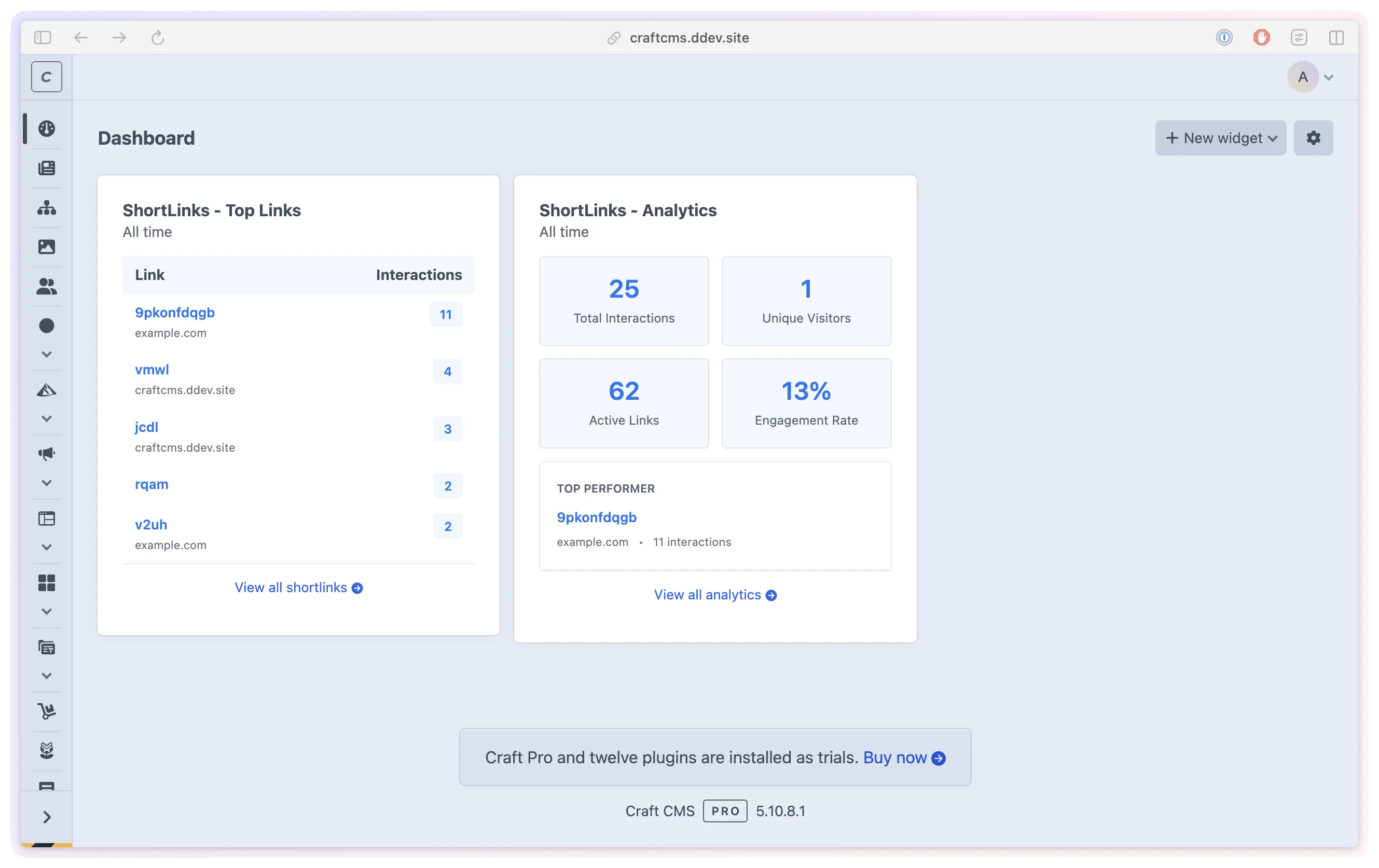
Review link activity, devices and referrers. 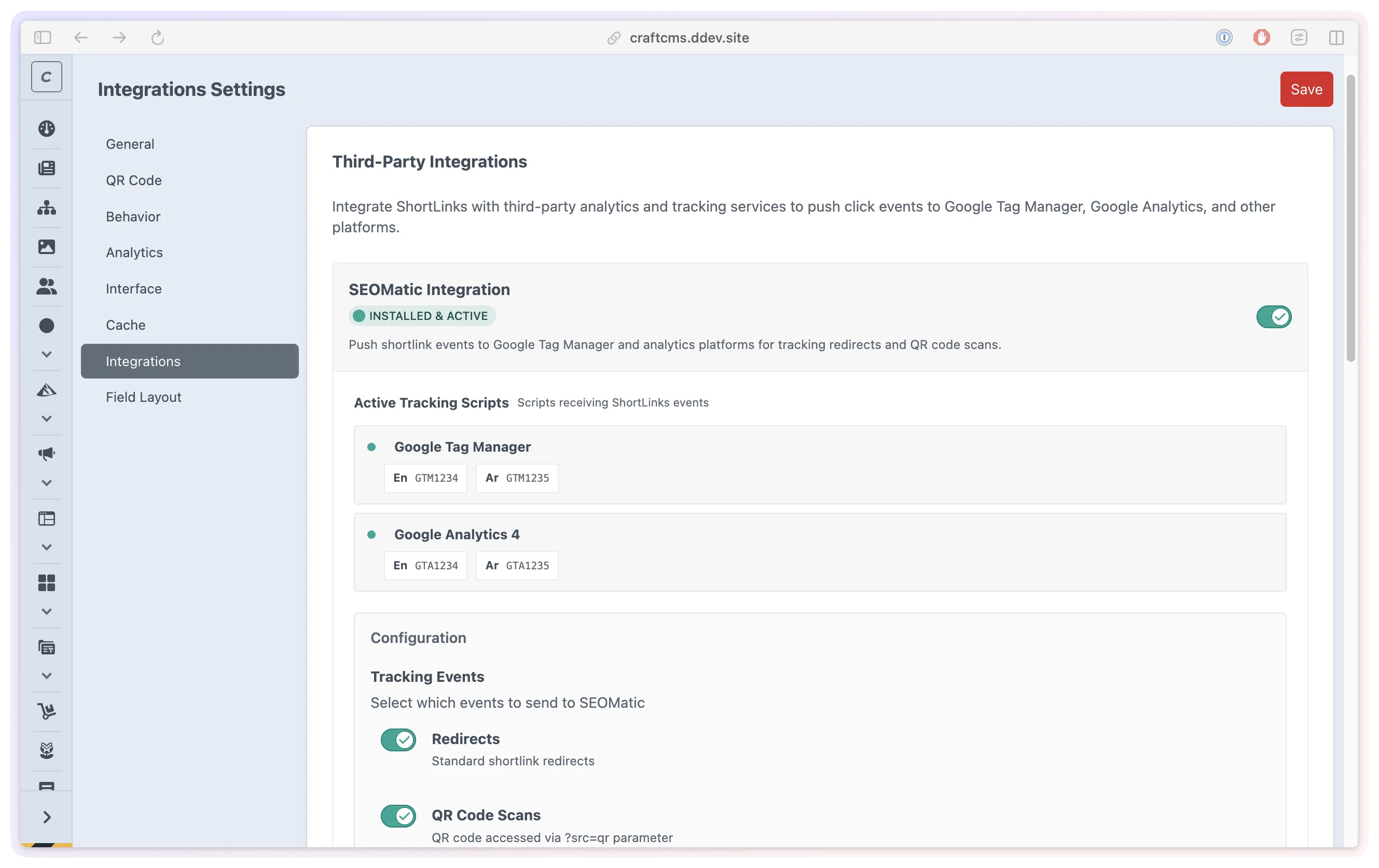
Connect links with your other Craft tools.
- Role
- Design, architecture and engineering
- Stack
- Craft CMS 5.10+
- PHP 8.2+
- GD or Imagick
- SVG export
- Status
- On the Plugin Store
- Since
- 2025 to present
- Sharing Give campaigns a short, recognisable address.
- Continuity Keep links connected as your content changes.
- Insight Compare activity across links and placements.
02The problem
The campaign is in Craft. Its links should be easy to find there.
A link shared in an email, social post or printed brochure can remain in use long after launch. The page may move, the offer may end, or another person may take over the campaign. A short URL is most useful when the team can still find it and understand where it leads.
We built ShortLink Manager to keep that work alongside the website's content. Links have destinations and statuses, with access controlled through Craft's permissions. Organisation and reporting sit in the same Control Panel.
03Managing links
Create the link where the content is managed.
Editors can choose a readable code such as /s/summer-sale or let the plugin generate one. A destination can be entered as a URL or connected to supported Craft content, including entries, categories and assets, with products and variants available when Commerce is installed.
The ShortLink field can create and maintain a link for an entry. When that entry's URL changes on save, the field updates the destination. The entry sidebar shows the short URL, copy control, QR preview and status, so sharing is part of the editing workflow.
Publish and expiry dates support scheduled campaigns. After expiry, a link can show a custom message or send the visitor to a chosen replacement page. This lets the team plan what happens when an offer is over.

04QR codes
Keep the code useful after the artwork is printed.
A QR code contains the short URL, so its destination can be updated without changing the printed artwork. As long as the short address remains active, a brochure can lead to a new page or an updated download.
Teams can set shared colours and styles, then override them for individual links. Designers can preview the result and download PNG or SVG files, with logo overlays available for PNG. The saved settings control the public code, while authenticated previews let the team explore styling before publishing a change.

05Campaign organisation
A library the next person can understand.
Folders group links by campaign, department or project. Tags add labels such as region or channel, and bulk actions let the team organise several links together. These controls help keep a growing collection usable after the people or campaigns behind it change.
CSV imports guide the team through uploading, mapping columns and reviewing rows before creating links. Duplicates and errors are identified in the preview, and import history records the outcome. Exports include folders and tags so the collection can also be reviewed outside Craft.
A shared code can have a destination for each site in a multilingual installation. Branded domains and site-specific paths are supported once the domain is configured to reach Craft.
06Understanding activity
See how each shared link is being used.
Analytics brings click trends, estimated unique visitors, devices and referrers into Craft. Individual links and dashboard widgets give the team different levels of detail. Separate links for an email and a printed leaflet can help compare activity from those placements.
Tracking can be switched off for a particular link or across the plugin. Visitor IP addresses are hashed with a salt, geographic lookup is optional and off by default, and retention settings control how long analytics is kept. Detected bots and system agents are labelled to help interpret the traffic.
The default redirect page supports browser-based tracking events before forwarding. An optional direct redirect skips that page. In direct mode, server-side tracking depends on the request reaching Craft, so developers need to account for browser and hosting caches when setting it up.
07For developers
Fit the links into the wider site.
Short links are Craft elements with custom field layouts, Twig queries and GraphQL access. Developers can expose them to a separate frontend and customise the redirect, expiry and QR display templates. Query parameters can be passed through when a campaign needs to retain them.
Optional integrations connect the plugin to SEOmatic for metadata and tracking events, and to Redirect Manager to help preserve old short URLs after a code changes. With Logging Library installed in Craft, the team can inspect available diagnostic logs in the Control Panel.
The product keeps the practical work of sharing, updating and reviewing links close to the people maintaining the site. For app downloads that need a different destination per device, SmartLink Manager provides that routing workflow.
