Search Manager: help people find what they came for.
Visitors arrive with their own words for what they need. Search Manager helps teams turn Craft CMS content into a useful search experience, with relevant results, suggestions and a ready-to-use search interface. Developers choose the content and search engine; Pro adds tools for teams to understand searches, adjust results and keep improving the experience after launch.
01In use

Search with grouped results and highlighted matches. 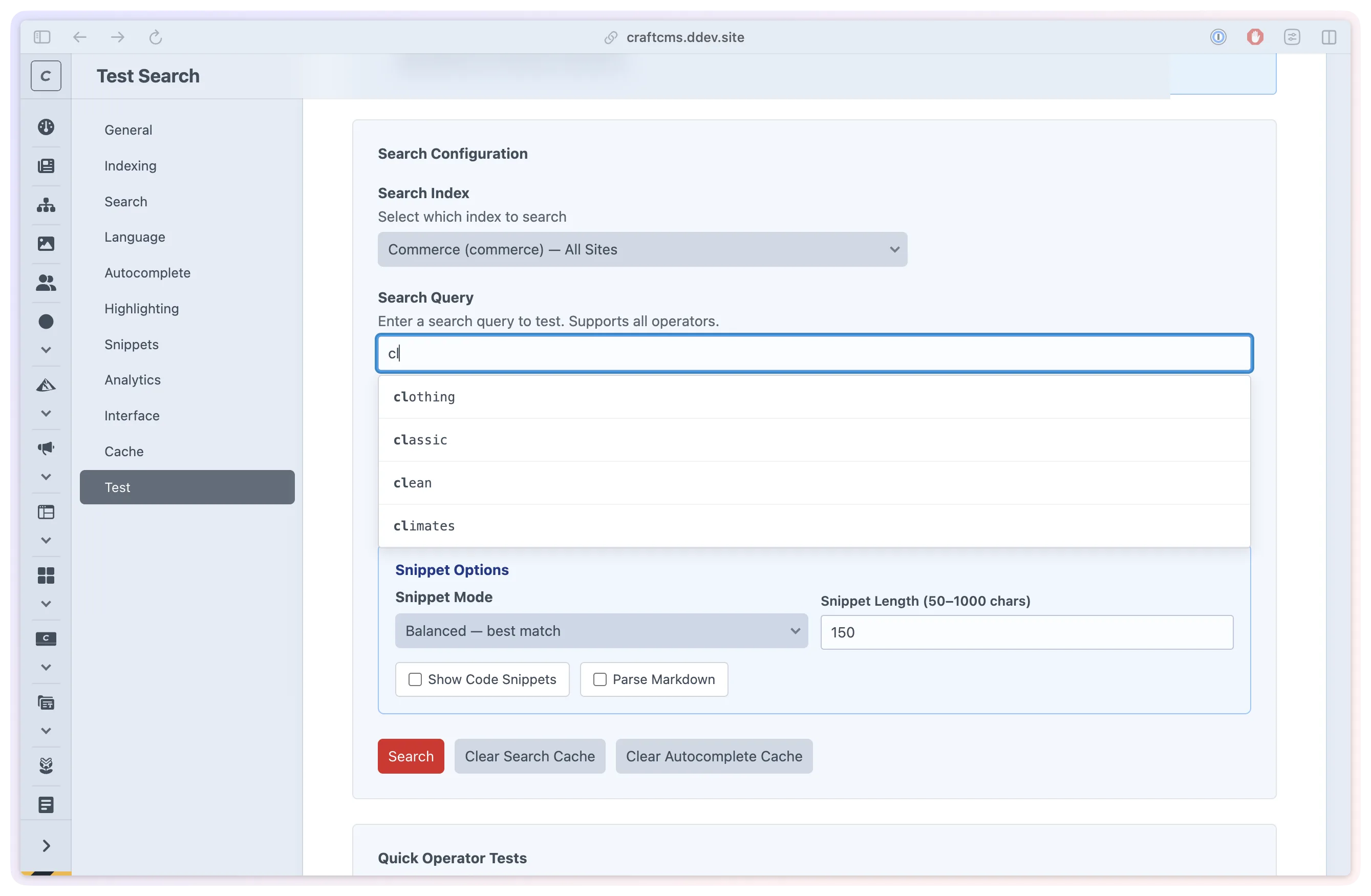
Test queries and inspect results before integration. 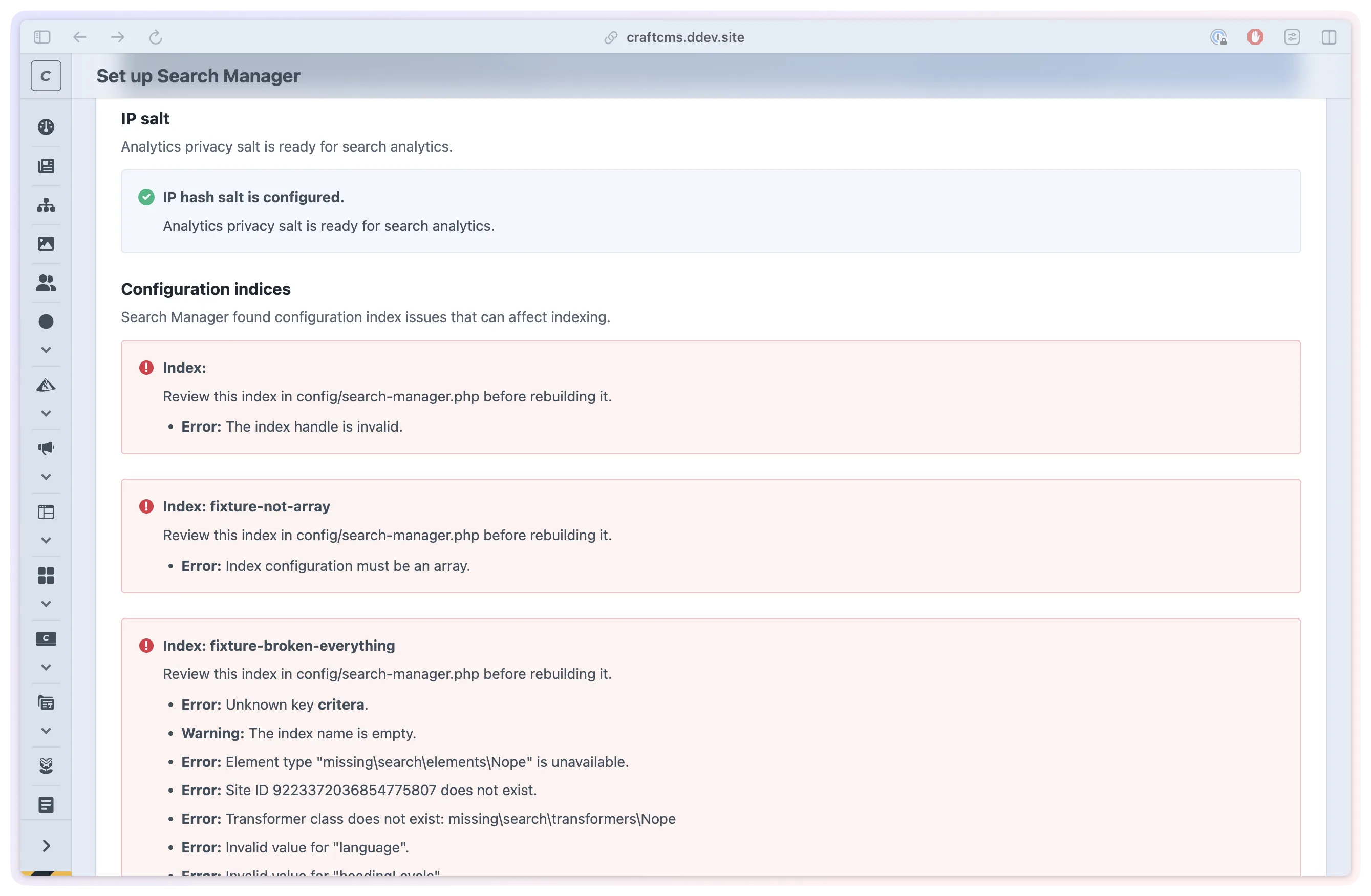
Check configuration and backend readiness. 
Choose the search engine for each project or environment. 
Define which content and sites can be searched. 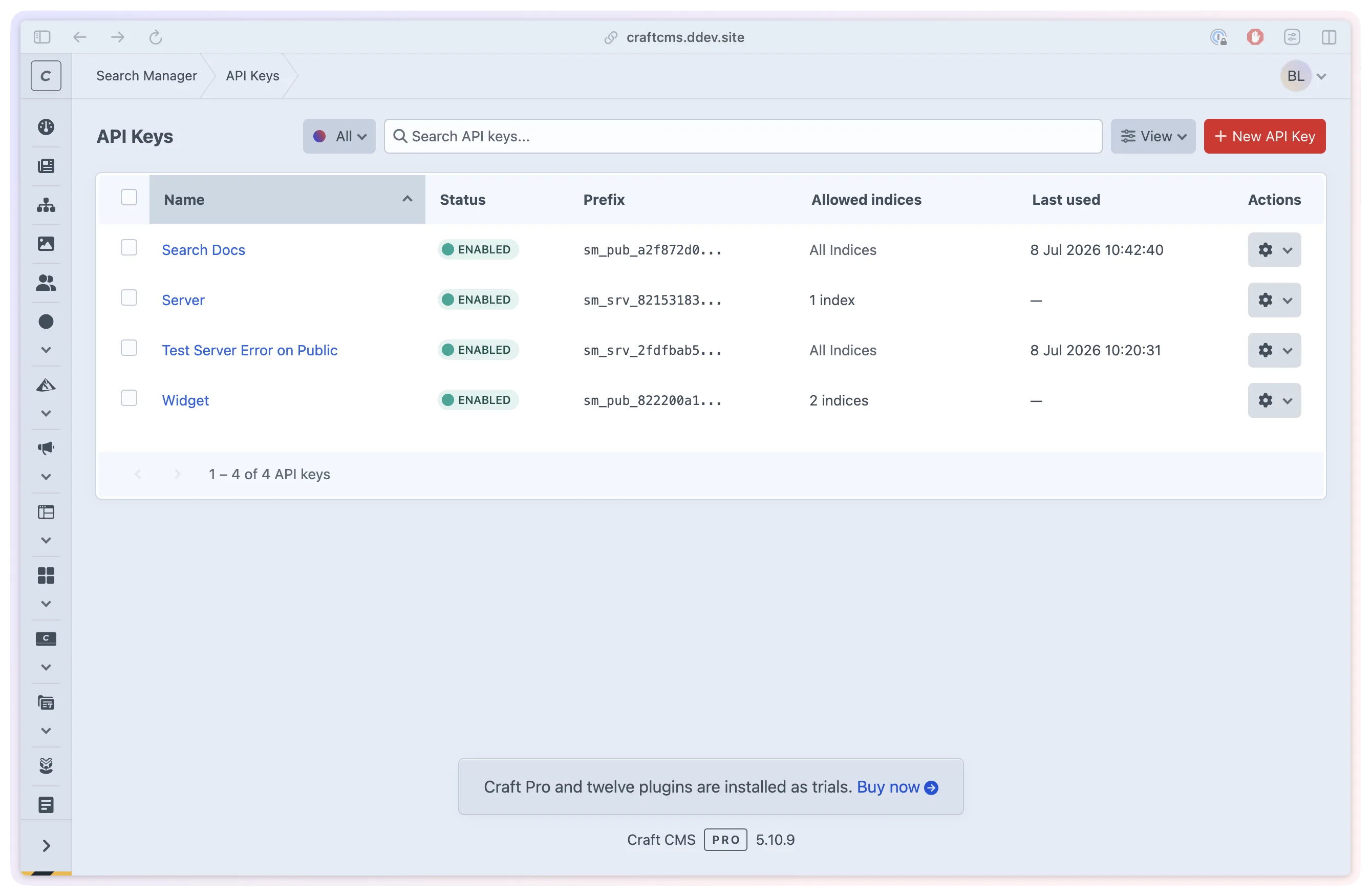
Set access limits for public search integrations. 
Pro: place selected content in matching results. 
Pro: inspect content updates and retry failures. 
Inspect search behaviour in the frontend test view.
- Role
- Design, architecture and engineering
- Stack
- Craft CMS 5.10+
- PHP 8.2+
- MySQL, PostgreSQL
- Redis, File
- Algolia, Meilisearch, Typesense
- Status
- On the Plugin Store
- Since
- 2025 to present
- Search Help visitors find content with useful context.
- Control Guide results with Pro rules and promotions.
- Insight Use Pro analytics to find gaps and improve search.
02The problem
A search box is only the start.
A visitor may search for delivery while the site calls it shipping. A useful answer may sit halfway down a long guide. As the site grows, results that worked at launch can become less helpful, and the team needs a way to see where people are struggling.
We built Search Manager around that ongoing work: deciding what should be searchable, presenting results clearly and giving teams ways to test and improve them. It connects the interface visitors use with the content and tools behind it.
03Searchable content
Choose what people should be able to find.
A search index is the collection of content a search runs against. Teams can define it by content type and site, then narrow it to selected sources. Entries, assets and categories are supported, with products, documentation and managed links available through the relevant integrations.
Changes to content can be synchronised automatically. Developers control which fields are returned with results and can customise how content is prepared for search. Supported long-form content can also be split into sections, helping a query find the relevant part of a guide.
Search can run on the project's MySQL, PostgreSQL, Redis or file backend, or connect to Algolia, Meilisearch or Typesense. The built-in engines provide relevance ranking and typo tolerance; external engines use their own search capabilities. A shared integration gives developers options without tying every template to one provider.
04The search experience
Give each result enough context to be useful.
The included search widget opens from a button or keyboard shortcut. Suggestions, highlighted terms and short excerpts help visitors judge a result before opening it. Results can be grouped by source, and documentation layouts can show matched headings beneath their parent pages.
Keyboard controls, focus handling, light and dark themes, and right-to-left support are part of the widget. An optional recently viewed list helps people return to something they opened. Destination-page highlighting can carry the search context into the page itself.
Developers can customise the widget through Twig. Pro adds reusable visual presets and a Control Panel style editor, so several search placements can share a consistent appearance. The built-in test tool lets the team inspect actual results before placing the search interface on the site.

05Editorial control
Make room for the team's knowledge of the content.
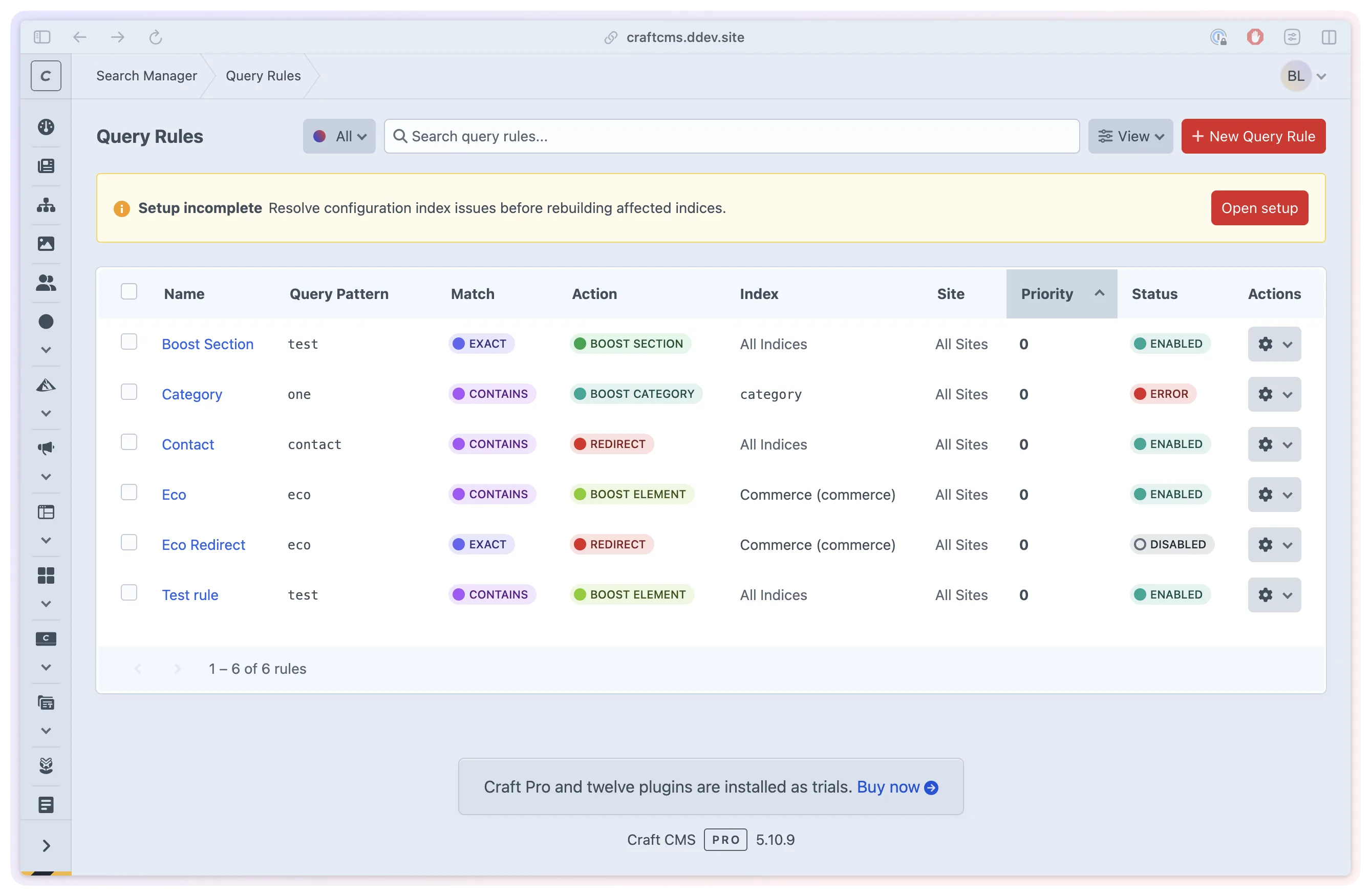
In Pro, query rules let editors respond to the language visitors use. A synonym rule can connect delivery with shipping. Boosts can give a relevant section or page more weight, while a redirect rule can identify a destination for a specific query.
Promotions can place an indexed item at a chosen position for matching searches. A team might feature a support guide for a common question or a campaign page for a seasonal term. Rules and promotions can be limited to the appropriate index and site.
These controls make relevance an editorial task as well as an engineering one. Teams can make a focused change, test the result and review how it performs.
06After launch
Find the searches that need a better answer.
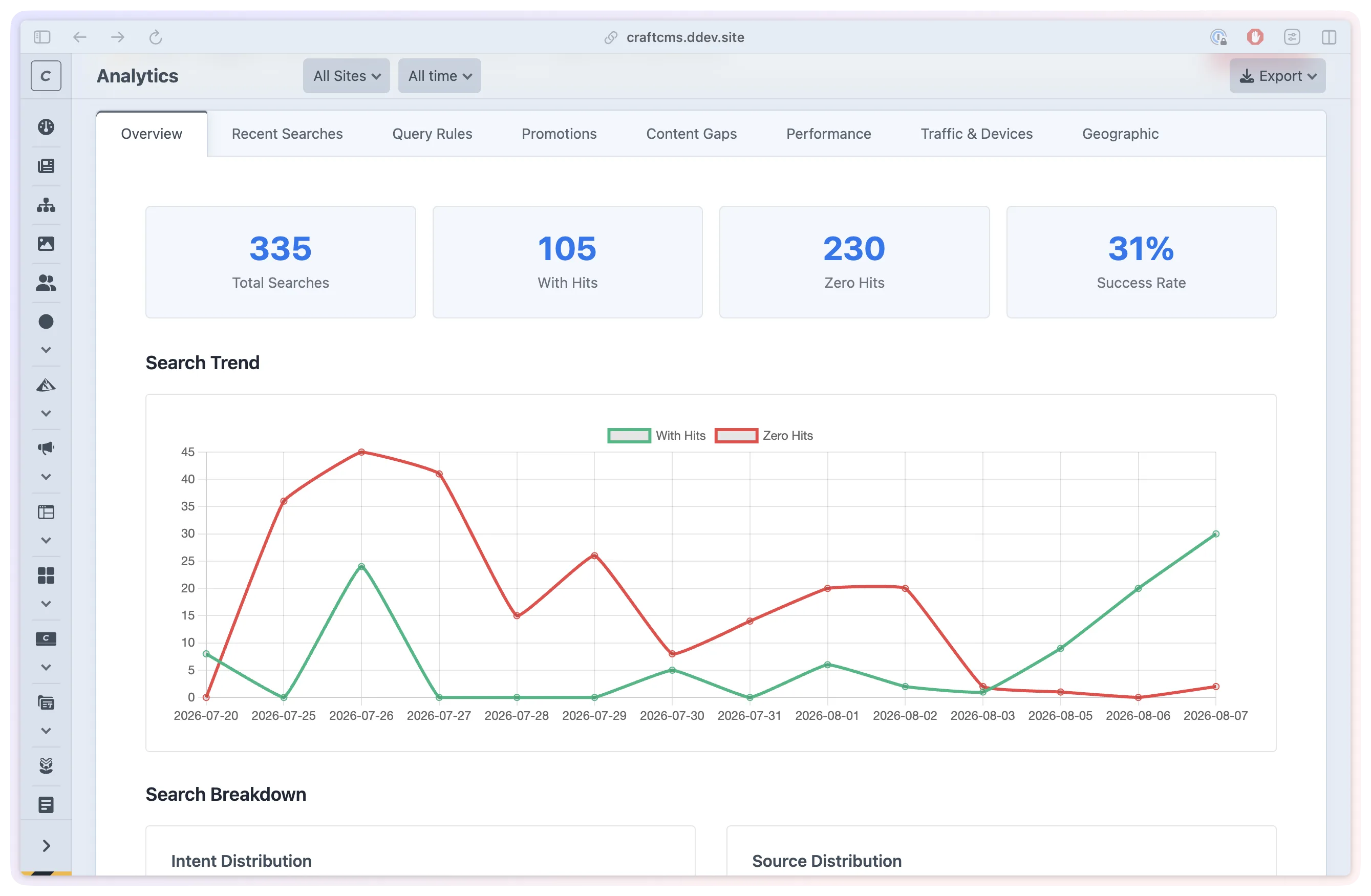
Pro analytics shows common queries, searches with no results and response times. The content-gap view groups similar unsuccessful searches, helping the team investigate whether information is missing, difficult to find or described in different words.
Reports can distinguish search placements and show how query rules and promotions are being used. Device and traffic breakdowns add context. IP addresses are hashed, location lookup is optional and off by default, and retention settings control how long analytics is kept.
Pro also provides a view of pending and failed content updates. An operator can inspect an error and retry eligible updates once its cause has been addressed. Automatic synchronisation and manual rebuilding remain available in Standard.
07For developers
Use the same search across different frontends.
Twig, REST and GraphQL provide search and autocomplete for websites, separate frontends and mobile integrations. Configured custom fields and breadcrumb metadata can travel with each result, giving developers the detail needed to build an interface around the content.
For public REST endpoints, optional API-key enforcement lets developers limit access by index and referrer, set expiry dates and cap search request rates. GraphQL uses Craft's schema permissions. These controls are available in both editions.
Backends and indices can be configured per environment. Setup checks flag configuration problems, while the test tools help inspect results and backend connections. With Logging Library installed in Craft, available logs give the team another way to investigate indexing and search issues.
08Standard and Pro
Start with working search. Add tools for ongoing improvement.
Standard includes all backends, indexing, search and autocomplete APIs, access controls and the complete functional widget. It covers building and delivering the site's search experience, including custom styling through Twig.
Pro adds analytics, synonyms and query rules, pinned promotions, the pending-update console, analytics-based cache warming and reusable widget style presets. These are the tools for teams actively reviewing and refining search after launch.
The same product supports both stages: getting useful search onto the site, then giving the team evidence and controls to make it better as the content changes.
